

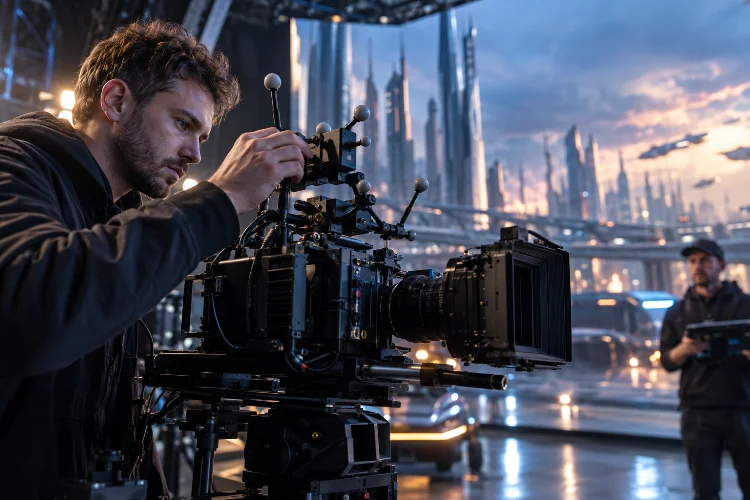
Picture this: you’re shooting a dramatic scene inside a virtual production studio.
The actors look fantastic, the LED walls display a breathtaking futuristic city, and the lighting feels almost perfect. Then the camera moves, and suddenly the digital background starts sliding in a way that makes the entire illusion fall apart.
Not exactly the cinematic moment you were hoping for, right?
This is why optimizing camera tracking accuracy in virtual production sets has become such an important part of modern filmmaking.
Camera tracking connects physical camera movements to digital environments, allowing virtual scenery to respond naturally as cinematographers change angles, positions, and framing.
When everything works correctly, the technology creates convincing depth and realistic perspective. When something goes wrong, even a small positioning error or synchronization issue can make expensive visual effects look surprisingly artificial.
Fortunately, improving tracking precision doesn’t always require buying more expensive equipment. Often, better calibration, smarter marker placement, reliable synchronization, and consistent testing make the biggest difference.
Let’s explore how production teams can build a more dependable camera tracking workflow, avoid common technical problems, and capture smoother virtual production footage.
1. Understanding Camera Tracking Accuracy in Virtual Production
How Camera Tracking Connects Real and Digital Worlds
Camera tracking measures the physical camera’s position and orientation, allowing a rendering engine to reproduce those movements inside a virtual environment.
Most professional tracking systems describe camera movement through six degrees of freedom, commonly called 6DoF. These include three positional axes and three rotational axes, making it possible to calculate where the camera is and which direction it faces.
For example, imagine filming an actor standing in front of an enormous virtual mountain range. As the camera moves sideways, the digital mountains should shift according to their simulated distance, creating a realistic parallax effect.
If the tracking information is inaccurate, the perspective changes incorrectly. The mountains might appear to float, slide, or move at the wrong speed.
That visual disconnect makes the entire environment less believable.
Accuracy, Precision, and Latency Aren’t the Same Thing
Although these terms often appear together, they describe different tracking qualities.
Accuracy refers to how closely the reported camera position matches its actual position. Precision describes how consistently the system produces measurements, while latency is the delay between physical movement and the digital system’s response.
A tracking system can be very precise but consistently report the wrong location. Similarly, a perfectly calibrated tracker can still produce disappointing images when its data arrives too late.
This distinction helps technicians identify the actual cause of visible errors instead of adjusting random settings.
A static camera test might reveal spatial misaligment, while a fast pan may expose timing problems that remain invisible when the camera is stationary.
Understanding these differences is the first step toward meaningful optimization.
2. Choosing the Right Camera Tracking Technology
Optical Tracking Systems
Optical tracking is widely used in professional virtual production because it can deliver detailed positional information across controlled studio environments.
These systems typically use specialized cameras or sensors to detect optical markers. Software calculates the camera’s location and rotation based on the arrangement and movement of those markers.
There are two common approaches: outside-in systems that observe tracked objects using cameras around the stage, and inside-out systems that use a sensor attached to the production camera to observe environmental references.
For example, OptiTrack’s virtual production technology uses motion capture cameras and tracking targets to provide real-time positional information. Its systems support synchronization and continuous calibration capabilities.
Meanwhile, Mo-Sys StarTracker Max uses reference markers positioned on studio surfaces, including ceilings and walls, to calculate the camera’s spatial position.
Neither method is automatically better for every production. The best choice depends on stage dimensions, lighting conditions, camera movement, available installation space, and budget.
Markerless and Hybrid Tracking
Markerless systems use visual features from the surrounding environment to estimate movement. Some implementations rely on visual simultaneous localization and mapping, usually shortened to visual SLAM.
This approach can be useful when installing numerous reference markers isn’t practical.
However, markerless tracking can struggle with reflective surfaces, environments lacking recognizable visual details, motion blur, and changing lighting conditions. Depending on the technology, accumulated positional drift can also become an issue.
Hybrid systems combine optical information with inertial sensors, mechanical encoders, or other measurements to improve stability.
For filmmakers, the smartest decision is to test the tracking equipment with the actual camera movements planned for production.
A system that performs beautifully during slow dolly movements might behave differently during a fast handheld chase scene.
3. Calibrating the Physical Tracking Environment
Establish a Reliable Coordinate System
Before filming begins, the physical studio and digital environment must share a consistent spatial reference.
This means defining the stage origin, floor level, axis directions, and orientation used by the tracking system and rendering engine.
If those coordinate systems don’t match, a camera moving one meter physically may appear to move in the wrong direction or scale within the virtual world.
Even subtle alignment errors can become obvious when practical scenery must connect seamlessly to digital set extensions.
A reliable setup usually begins by establishing reference points that can be measured in both physical and virtual space.
Technicians should also confirm that measurement units remain consistent throughout the pipeline.
Optimize Marker Placement and Visibility
Marker placement has a significant influence on tracking reliability.
Optical systems require enough visible reference information to determine camera movement accurately. Poorly distributed markers, reflective interference, or blocked sightlines can reduce tracking quality.
For ceiling-based tracking, markers should cover the areas where the camera will operate, including important crane and dolly positions.
Outside-in systems need camera placements that provide adequate coverage from multiple useful viewing angles.
Consider a stage where a large practical doorway blocks several tracking markers during a moving shot. The system may lose part of its reference information precisely when the camera reaches its most important position.
Identifying that problem during preparation allows the crew to adjust marker locations or redesign the tracking coverage.
Keep the Stage Calibration Stable
Once the studio has been calibrated, changes to tracking cameras, reference markers, or critical mounting hardware may affect the results.
A bumped sensor or repositioned support structure can create errors even when the software still reports an active tracking connection.
Where supported, continuous calibration can help compensate for certain environmental changes. Nevertheless, operators should verify the system after physical modifications rather than assuming automatic correction will solve everything.
Document the approved calibraton configuration and keep a record of changes.
This makes troubleshooting easier and helps different technical crews work from the same reliable baseline.
4. Improving Lens Calibration and Nodal Offset Accuracy
Why Lens Calibration Matters
Accurate camera positioning is only part of the equation. The virtual camera also needs to reproduce the optical characteristics of the physical lens.
Real lenses introduce distortion that changes how straight lines, objects, and perspective appear within an image.
Wide-angle lenses may show noticeable barrel distortion, while other optical designs produce more subtle variations.
If the digital camera ignores those characteristics, virtual objects can appear incorrectly aligned with practical elements, particularly near the edges of the frame.
Epic Games’ Camera Lens Calibration Quick Start explains how filmmakers can use a checkerboard pattern to measure lens distortion and nodal offset in Unreal Engine.
The resulting calibration information can be stored in a Lens File associated with the relevant camera and lens configuration.
Calibrating Different Focal Lengths
Zoom lenses introduce an additional challenge because their optical characteristics can change as focal length and focus distance change.
A calibration performed at one zoom setting may not remain accurate throughout the entire zoom range.
For this reason, production teams should collect calibration measurements at multiple focal lengths and focus distances when the workflow requires them.
Take a hypothetical scene involving a slow push-in while the cinematographer zooms from 35mm to 70mm.
Without appropriate lens data, the background may appear to shift unnaturally during the zoom, even though the tracking system correctly measures the camera’s physical movement.
A properly developed lens profile allows the rendering engine to adapt the virtual camera projection to the changing optical settings.
Understanding Nodal Offset
The tracking sensor is often mounted above or beside the actual cinema camera.
As a result, the physical point being tracked isn’t necessarily the correct optical reference point for rendering the virtual image.
Nodal offset calibration establishes the spatial relationship between the tracker and the camera’s relevant optical position.
This matters especially during camera rotations, where an incorrect offset can cause the background perspective to move unnaturally.
A useful test involves rotating the camera around a fixed reference and checking whether virtual and physical objects remain aligned.
If the tracking sensor or lens arrangement changes, the offset should be checked again.
In practical terms, accurate lens calibration turns good tracking information into convincing photographic perspective.
5. Reducing Latency and Synchronization Errors
Why Timing Problems Create Visible Background Movement
Even perfectly calibrated tracking data can produce poor results when it isn’t synchronized with the camera image.
Imagine the physical camera moving left while the virtual environment displays tracking information from a moment earlier.
The resulting background appears to lag behind the foreground.
This problem becomes particularly noticeable during fast pans, whip movements, or shots involving objects close to the camera.
At 24 frames per second, a single frame lasts approximately 41.7 milliseconds. A one-frame timing discrepancy can therefore become visually significant during rapid camera movement.
The challenge is maintaining correct timing across the camera, tracking system, rendering computer, and LED display pipeline.
Understand Genlock and Timecode
Genlock and timecode both contribute to synchronization, but they perform different jobs.
Genlock helps compatible devices align their video timing with a shared reference. Timecode identifies frames or moments in a recording, helping systems associate tracking and image data correctly.
Neither feature automatically removes every processing delay.
A rendering system may still need carefully configured buffers or time offsets to match incoming tracking samples with the appropriate camera frames.
Unreal Engine’s Timed Data Monitor documentation explains how incoming Live Link and SDI data can be monitored and aligned.
The tool also provides information about buffer conditions, missing samples, and frame drops.
Measure Latency Instead of Guessing
One effective approach involves recording a repeatable physical camera movement while observing a recognizable reference object and its digital equivalent.
The crew can then compare frames to determine whether the virtual response leads or lags behind the physical movement.
Testing several movement speeds helps expose issues that might be hidden during slow, deliberate camera operation.
If adjustments are necessary, technicians should change timing offsets systematically and repeat the same test.
It’s also important to separate timing delay from tracking noise. Adding excessive smoothing might make movements look steadier while introducing additional lag.
The goal is not simply to minimize every delay in isolation, but to achieve consistent synchronization throughout the complete imaging system.
6. Testing and Troubleshooting Camera Tracking Performance
Build a Repeatable Accuracy Test
A good technical test should reproduce the conditions filmmakers expect during principal photography.
Rather than moving the camera randomly, create a repeatable test sequence involving a static position, controlled pan, tilt, dolly movement, and more demanding camera action.
Place a physical reference object near a corresponding digital object in the virtual environment.
Then observe whether their relationship remains stable as the camera changes position.
A simple example could involve a physical doorway connected to a virtual corridor.
If the digital corridor shifts away from the doorway during a dolly movement, the team has a visible reference for investigating the problem.
Record the results using the actual production camera rather than relying exclusively on a computer viewport.
Look for Different Error Patterns
Tracking problems often reveal themselves through recognizable visual behavior.
A constant background offset may suggest an incorrect coordinate transform, lens profile, or nodal offset. A background that follows the correct path but arrives late is more likely to indicate a timing issue.
Random jitter may point toward noisy tracking measurements, inconsistent marker visibility, or mechanical vibration.
Gradual drift can indicate problems with a tracking system’s spatial estimation or its reference environment.
These are diagnostic clues, not universal rules. More than one problem can produce similar symptoms.
Pixotope’s article, 6 Camera Tracking Mistakes in Virtual Production and How to Avoid Them, discusses common challenges involving calibration, tracking delay, and lens distortion.
Its central lesson is useful for any production: establish reliable measurements before making corrections.
Test the Entire Shooting Area
A tracking setup might perform accurately near the center of the stage but become less reliable at its boundaries.
That’s why testing should include camera positions near walls, set pieces, cranes, and other potential obstacles.
Fast movements can reveal problems that stationary checks never expose.
Production teams should also test with the actual lighting equipment operating, particularly when optical systems might encounter interference or blocked references.
For example, a large overhead lighting fixture could obstruct a tracking camera’s view after the stage has already been calibrated.
Checking coverage during a full technical rehearsal helps the crew identify these complications before actors arrive.
Improving consistancy requires testing not only the ideal setup but also the conditions likely to challenge it.
7. Creating a Reliable On-Set Tracking Workflow
Introduce a Daily Verification Routine
A dependable virtual production setup needs clear operational procedures.
Before shooting, technicians should confirm that tracking devices are secure, reference markers remain in their approved locations, and the correct calibration files are loaded.
They should also check lens metadata, coordinate alignment, frame timing, and real-time rendering performance.
A short verification shot can confirm that the digital environment responds correctly to the physical camera.
If any important component has changed since the previous session, the team should determine which calibration steps need repeating.
This is especially important when productions swap camera bodies, change tracking mounts, or introduce different lenses.
Assign Responsibility Across Departments
Tracking accuracy affects cinematography, visual effects, camera operations, and the real-time rendering team.
Clear responsibilities make the workflow more efficient.
For example, the camera department can communicate lens changes, while the tracking operator monitors positional stability and the virtual production supervisor oversees digital alignment.
The cinematographer should evaluate the final result through the intended camera monitoring pipeline.
No single technician can judge every aspect of the image in isolation.
Good communication also helps distinguish creative requests from technical problems. A director asking for a different perspective shouldn’t accidentally trigger changes to essential tracking calibration.
Monitor Useful Performance Metrics
Productions can improve tracking reliability by collecting a small set of meaningful measurements.
These might include tracking dropouts, positional repeatability, timing offsets, calibration residuals, and visible alignment errors.
A practical test can also establish an acceptable image-space tolerance for important objects or set boundaries.
For example, a team might define a project-specific maximum pixel difference between physical and virtual reference points at selected camera positions.
That tolerance should reflect the camera resolution, lens, shot requirements, and technical capabilities rather than an arbitrary industry-wide number.
The Vicon Active Crown technical article also demonstrates how tracking hardware can use active infrared markers to improve reliability when visibility becomes challenging.
However, manufacturer performance claims should always be evaluated against the actual production environment.
Keep Improving After Every Shoot
When a tracking problem occurs, record its symptoms, likely cause, corrective action, and whether the fix worked.
Over several production days, these notes become a useful technical reference.
If camera movements repeatedly trigger synchronization issues, the team may need to revisit its timing configuration. If marker occlusion keeps interrupting takes, the stage layout or tracking coverage may need improvement.
A technical reherasal can then confirm that the revised configuration works before the next demanding sequence.
Reliable camera tracking isn’t achieved through one perfect setup. It’s built through careful preparation, practical measurements, and repeatable maintenance.
Optimizing camera tracking accuracy in virtual production sets requires much more than choosing a sophisticated tracking system.
The most convincing results come from combining reliable positional measurements, precise lens calibration, correct spatial alignment, and properly synchronized camera data.
Marker visibility, nodal offsets, latency, and environmental changes all influence how naturally digital backgrounds respond to physical camera movements.
Fortunately, many common tracking issues can be identified through repeatable tests, clear technical responsibilities, and consistent monitoring rather than expensive last-minute equipment changes.
For filmmakers planning their next LED volume or in-camera VFX shoot, start by evaluating the current tracking setup, documenting calibration settings, and performing controlled movement tests before production begins.
The payoff is a smoother shooting process, fewer avoidable technical interruptions, and virtual environments that feel genuinely connected to the camera.